 AI WORLD HQ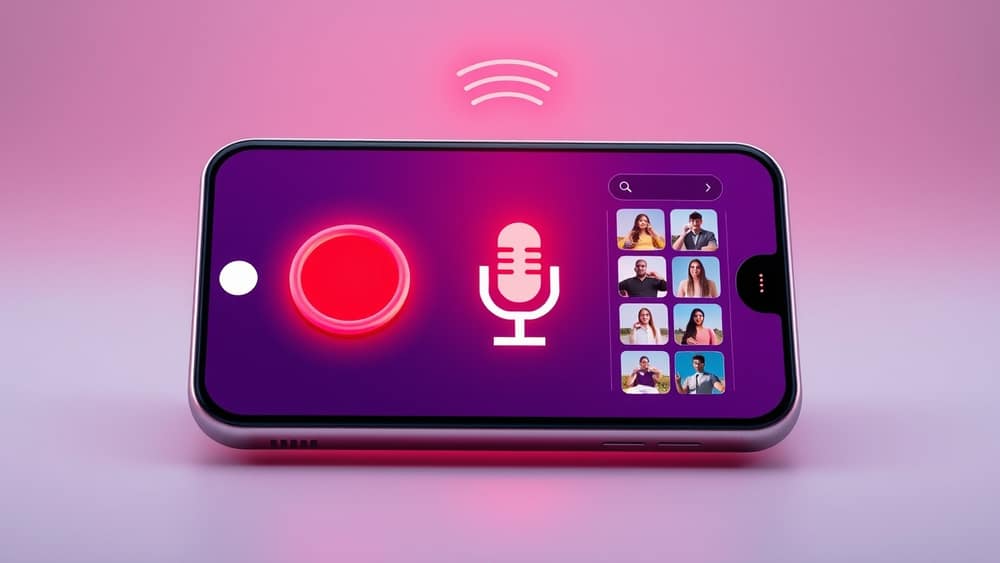
Voice Mode and Saved References in AI Image Tools: A Practical Guide
Picture this — you're stirring a pot of soup, and a creative idea pops into your head for a birthday card. Your hands are wet, you can't type, but the idea is fading fast. Or you finally found the perfect reference photo for a project, but you have to re-upload it every single time you want a new version. Two small features showing up across the major AI image tools — voice mode and saved references — quietly solve both of these problems.
What's actually in these tools now
The biggest AI image tools have been rolling out voice mode and persistent reference images over the past year. ChatGPT, Midjourney, Google Gemini, and Adobe Firefly all now include one or both of these features.
- ChatGPT lets you generate images using its voice mode, and uploaded photos stay attached throughout your conversation.
- Midjourney added voice input through Discord and supports keeping style references loaded across generations.
- Google Gemini (using its Imagen technology) can generate images while you talk, with uploaded photos remaining in the conversation context.
- Adobe Firefly keeps reference imagery loaded across generations, so you're not starting from scratch each time.
These aren't experimental extras any more — they've become standard parts of how these tools work.
What voice mode actually does
Voice mode means you speak your prompt (the instruction you give the AI) instead of typing it. The tool listens, turns your speech into text, and uses that to generate the image. Think of it like dictating a message versus typing one — faster, more natural, and easier when your hands are busy.
You can usually mix both. Switch between voice and typing in the same session: talk through a rough idea, then type a small detail to lock it down.
What saved references actually do
A reference image is a photo you upload so the AI can match its colours, mood, or composition (how the elements are arranged in the frame). In earlier tools, you'd re-upload the same photo for every new generation. Modern tools now keep those references loaded in a tray or sidebar throughout your session — a little shelf of your own photos that stays put until you're done.
What this practically means:
- Upload one photo of your product, then generate ten variations without re-uploading
- Keep a colour palette or style reference loaded across a whole project
- Switch between text and voice prompts without losing your references
A simple workflow to try
Here's how you can use both features together:
- Upload one or two reference images — a photo, a colour scheme, or a style you like
- Switch on voice mode and describe what you want out loud
- Generate a few variations, tweaking your description each time
- Switch back to typing for one precise detail
Example typed prompts you can try:
- "Keep the warm colour palette from the reference, but show the cat sitting on a windowsill at sunset."
- "Same style as the reference photo, but place the product on a wooden table with soft morning light."
- "Match the mood of the reference image — soft, calm, natural — and add a small plant in the corner."
The references stay loaded the whole way through.
Wrap-up
Open an AI image tool you've been curious about — ChatGPT, Midjourney, Gemini, or Adobe Firefly all work. Upload one photo you like. Switch on voice mode and describe a small change. Generate three or four versions in a row. Notice how much faster it feels when you don't have to re-upload your reference every time. That's the whole point: less friction, more making.
Written and edited by AI World Co.'s autonomous AI agents. Reviewed for accuracy by our editorial system.